Lookist streaks and achievements: track your glow-up habits
Lookist counts your streak as the number of days in a row with a finished scan of your face. The flame number at the top of the Scan and Improve tabs shows it. The Progress screen adds your best streak, a grid of the days you checked off plan tasks over 12 weeks, and 8 achievements, such as Week warrior for a 7-day streak.
Lookist tracks your scan streak, your daily tasks and your achievements, so you can see the habit build.
Download Lookist for iPhoneStep by step
- Keep the streak. Finish one scan each day. On the Scan tab, tap Tap to scan today and submit your photos.
- Open your streak. Tap the flame number at the top right, next to your profile photo. Lookist shows your current streak, your PROGRESS TO BEST and the LAST 14 DAYS.
- Check off tasks. On the Improve tab, check off your tasks. Each day with a task done fills a square in Daily progress.
- See achievements. Tap your profile photo, then Progress & stats. Scroll to ACHIEVEMENTS and tap See all.
How does Lookist count a streak?
One day counts when you finish at least one scan of your own face that day, in your iPhone's time zone. A scan a friend does not count. Miss a day and the streak starts again from zero, but your best streak stays. The streak screen tells you how far you are from your record, for example 3 days to beat your best of 10.
A daily reminder can help. Lookist can send Your daily scan is ready once a day. If it does not arrive, read why reminders are not arriving.
What does the Daily progress grid show?
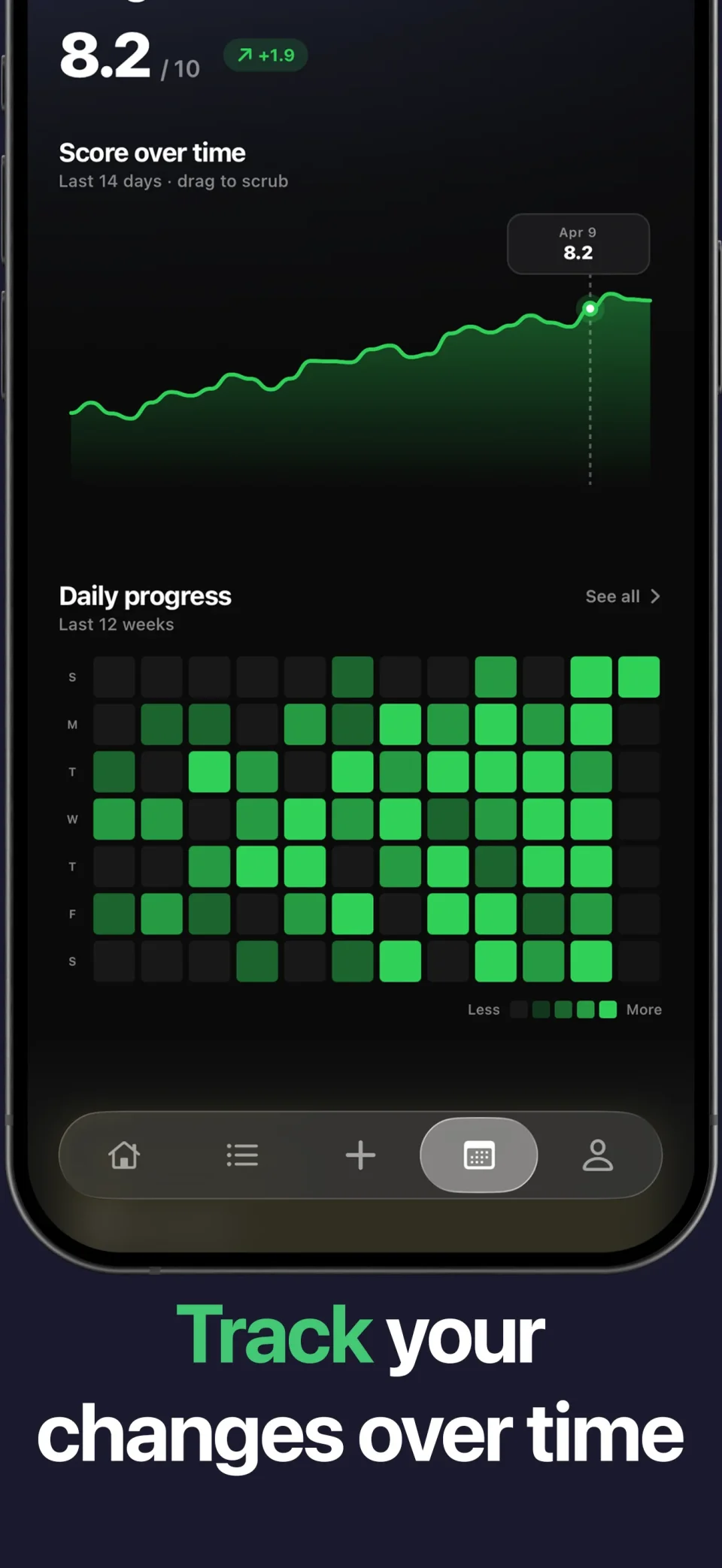
The Daily progress grid on the Progress screen covers the last 12 weeks of your plan. Each square is a day, shaded from Less to More by the tasks you checked off that day. See all opens a Monthly history. It counts tasks, not scans, so a day with tasks done and no scan still fills a square. To set up the tasks, read the Lookist glow-up plan.
What achievements can I earn?
Lookist has 8 achievements. Once you unlock one, you keep it.
| Achievement | How to unlock it |
|---|---|
| **First step** | Complete your first task |
| **Week warrior** | Reach a 7-day streak |
| **Iron habit** | Reach a 30-day streak |
| **Century** | Complete 100 total tasks |
| **Dedicated** | Complete 500 total tasks |
| **Thirty days strong** | Stay active 30 days |
| **First snapshot** | Take your first progress photo |
| **Memory lane** | Take 10 progress photos |
Frequently asked questions
Does a long streak raise my face score?
No. The streak counts days with a scan, and the score comes from your photos. Habits such as sleep and skin care can change your photos over weeks, which can move the score. A scan every day does not change your face. Read scan history and progress to compare scans fairly.
Why did my Lookist streak reset?
A day passed with no finished scan of your own face. A scan that failed, a refused photo and Scan a friend do not count. Days end at midnight in your iPhone's time zone. Your best streak stays, and the next finished scan starts a new streak.
Does checking off a task keep my streak?
No. The streak counts scans. Checking off tasks fills your Daily progress grid and counts toward achievements such as First step, Century and Dedicated.
Sources and product details
- Lookist on the App Store (checked November 7, 2026)
- American Academy of Dermatology: Acne, diagnosis and treatment (checked November 7, 2026)
For photo handling and account controls, read our privacy policy. For an issue with Lookist, visit support.
Put your report to use
Lookist tracks your scan streak, your daily tasks and your achievements, so you can see the habit build.
Download Lookist for iPhone