Umax alternative: Umax vs Lookist, side by side
The best Umax alternative depends on what you want after the score. Umax gives you a selfie rating with improvement suggestions, and its latest version added group scans. Lookist gives you 15 feature scores and 3 to 7 written notes on what the scan noticed, a daily plan, scan history, Hairstyle Tester, and Future Me. Pick Umax for a quick rating. Pick Lookist if you want a plan to follow.
Get 15 face scores with written notes on what the scan noticed, a daily glow-up plan, and tools to try a haircut and preview your glow up.
Download Lookist for iPhoneLookist publishes this comparison. Features were checked against US App Store descriptions on November 21, 2026. Recommendations reflect feature fit. We have not run a comparative accuracy test.
At a glance
| What to compare | Umax | Lookist |
|---|---|---|
| Main focus | Selfie ratings and improvement suggestions | 15 face scores with written notes on what the scan noticed and a daily glow-up plan |
| Starting point | Take a selfie | One front photo |
| After the score | An analysis with suggestions | Daily plan, task history, scan comparison, Hairstyle Tester, and Future Me |
| Scanning other people | Group scanning (added in version 1.4.3) | Scan a friend without adding it to your history |
| Try a haircut on your photo | Not listed | Hairstyle Tester |
| Preview a glow up | Not listed | Future Me |
| Platform | iPhone and Android | iPhone and Android |
| Last listing update | June 28, 2024 (version 1.4.3) | November 5, 2026 (version 1.0.36) |
| Photo retention in the privacy policy | Face scans kept for up to one year | Photos kept while your account is active, deleted within 30 days after you delete your account |
What is the Umax app?
Umax is the App Store app called 'Umax - Become Hot', ID 6471026798, from Improvement Tech LLC. It came out in November 2023 and is one of the first apps people find when they search for looksmaxxing. The listing sums it up in three steps: download the app, take a selfie, and get your analysis.
The publisher says Umax helps users improve their facial attractiveness and gives them 'tools and information' to start. The latest version is 1.4.3, from June 28, 2024. Its release note says it added group scanning. The App Store page shows an 18+ age rating. Umax also has an Android version on Google Play from the same publisher.
Other apps use almost the same name. 'U Max' (ID 6754566105) is a separate app from a different developer, and LooksMax and LooxUP are separate again. Check the publisher name before you download, so the reviews and policies you read match the app you install.
Source: Umax on the App Store
Umax vs Lookist: which one fits your goal?
Both apps start with a photo of your face. The difference is what you want to do next. Use the table to match your goal to the app that lists a feature for it.
| Your goal | Better fit | Why |
|---|---|---|
| A quick rating, nothing more | Umax | The listing centers on a short selfie-to-analysis flow. |
| Know which feature pulls your score down | Lookist | 15 feature scores, plus 3 to 7 written notes on what the scan noticed. |
| A routine to follow every day | Lookist | A daily glow-up plan with tasks you check off. |
| Track change over months | Lookist | Scan history lets you compare past scans and scores. |
| Try a haircut before the barber | Lookist | Hairstyle Tester puts styles on your own photo. |
| Rate a group photo with friends | Umax | Group scanning arrived in its latest version. |
| You use an Android phone | Either one | Both apps are on Google Play. |
Who should pick Umax and who should pick Lookist
Most people who search for a Umax alternative already know what a face rating feels like. The question is whether a number is enough. If it is, stay with what you have. If you want to know what to do next, look at the follow-up features.
- Pick Umax if you want a fast rating or want to score a group photo.
- Pick Lookist if you want to see your strongest and weakest of 15 features, plus written notes on what the scan noticed.
- Pick Lookist if you want a daily plan for skin, hair, and sleep that you check off.
- Pick Lookist if you want to try a haircut on your photo or preview your glow up first.
- Pick neither if you want a medical opinion. See a dermatologist for skin problems and a dentist or orthodontist for jaw or bite concerns.
How the two workflows differ, step by step
The Umax listing describes three steps and stops at the analysis. The publisher says it plans to expand. The current listing does not describe a plan screen, a task list, or a progress view. That keeps the app short and direct.
Lookist starts in a similar way and then keeps going. Here is the full loop as it works today.
- Take one front photo in even light, with your face straight to the camera.
- Read your overall score out of 10 and your 15 feature scores. The report also has 3 to 7 written notes on what the scan noticed.
- Check your potential score and the percentile line, an estimate on a fixed curve centred on 5.0.
- Pick your goals: jawline, skin, facial harmony, or an overall glow up. Lookist builds a daily plan from your results and those goals.
- Check off tasks each day and look back at your routine history.
- Scan again later under the same light and compare past scans side by side.
What each app does after the score
Umax gives you an analysis with suggestions. Its listing does not say if those suggestions become a schedule. Treat them as advice you act on yourself. The new group scan is the one follow-up feature the listing names, and it is about sharing, not improving.
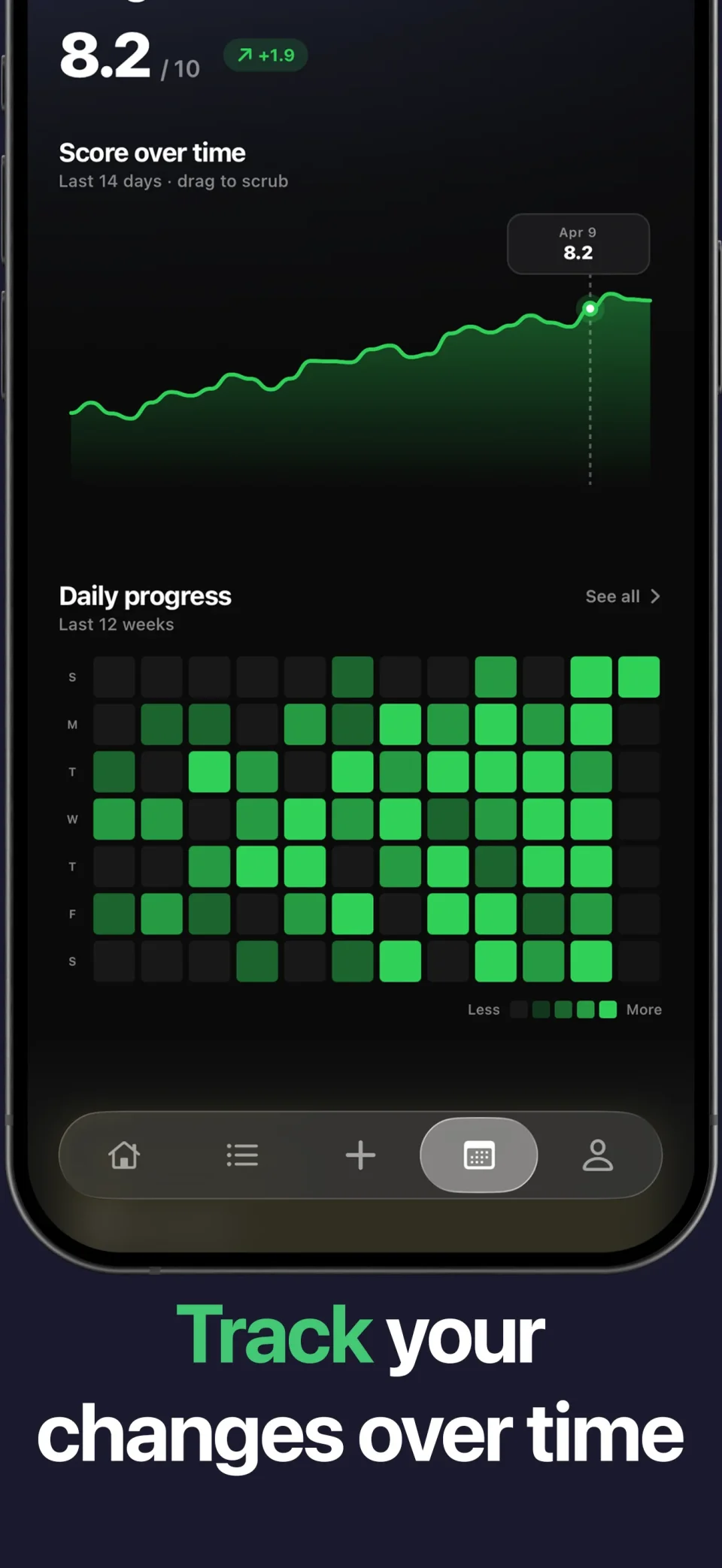
Lookist turns the report into a daily plan. Tasks cover skin care, gentle hair care, and sleep reminders. You check them off and the app keeps your routine history. You can also share results, or scan a friend without adding the scan to your own history.
Two Lookist tools go past the report. Hairstyle Tester lets you try new hairstyles on your own photo before a haircut. Future Me shows a preview of how you could look after your glow up. Neither tool changes your score. They help you decide what to try next.
How each app handles your photo
Umax's privacy policy (last updated October 16, 2023) lists selfies as personal information it collects. It says it processes biometric data with your consent and keeps face scans for a maximum of one year. To review or delete your data, you submit a data request form. The policy also says users must be 18 or older, or have consent from a parent or guardian.
Lookist's privacy policy (last updated August 6, 2026) says Lookist stores your photos while your account is active, so scan history can work. Photos are encrypted in transit and at rest. Delete your account and Lookist deletes all photos within 30 days. The policy says Lookist does not use your photos to train models and does not share them with advertisers.
Read the full policy of any app before you upload a face photo. Look for how long the app keeps the photo, who processes it, and how you delete it.
Source: Umax privacy policy
Is Umax accurate?
Umax does not publish an accuracy method or a validation study in its listing. Lookist does not publish an accuracy figure either. No shared test scores both apps on the same faces. So nobody can honestly say one is more accurate.
What you can control is the photo. A 2018 study in JAMA Facial Plastic Surgery looked at camera distance. It estimated that a selfie from about 12 inches makes the base of the nose look about 30 percent wider than a photo from 5 feet. Light, angle, and expression shift results too. That is why one app can give you two different scores on the same day.
Run this quick check on any face rating app before you trust a number.
- Stand facing a window in daylight, with no overhead light behind you.
- Hold the phone at arm's length or use a timer from about 5 feet, at eye level.
- Keep a neutral face, hair off your forehead, and no filter.
- Take two scans a few minutes apart with the same setup.
- If the scores differ a lot, the app reacts strongly to small photo changes. Compare future scans only under the same setup.
Does Umax really work?
It depends on what 'work' means. If you want a rating from a selfie, Umax gives you one, and that is what its listing promises. If you want an app to change your face, no app can do that on its own. Changes come from what you do every day.
The habits with real evidence look boring. The American Academy of Dermatology recommends a gentle cleanser, moisturizer on damp skin, and sunscreen. Sleep and a lower body-fat level also change how your face looks in photos. Mewing and jaw exercises are different. The American Association of Orthodontists says no scientific evidence supports claims that exercises reshape your jaw.
So a rating app works best as a checkpoint. It shows where you started, and a later scan under the same light shows what moved.
Source: American Academy of Dermatology: Skin care on a budget
Switching from Umax to Lookist: what to expect
Do not compare your Umax number with your first Lookist number. The two apps use different systems, and nobody has published a way to convert one score into the other. A 6 in one app is not a 6 in the other.
Treat your first Lookist scan as a new baseline. Use the same light and distance every time you scan after that. Then read the notes under each feature score, not just the overall number. The notes tell you what to work on.
What to look for in any Umax alternative
Most looksmaxxing apps look the same in their screenshots: a face, a big number, and a few bars. The difference shows up a week later, when you open the app again. Use these checks before you install anything.
- Does every score come with a reason? A number without a note does not tell you what to change.
- Is there a next step for today, like a skin task, that you can check off?
- Can you compare a new scan with an old one, so you see change instead of guessing?
- Does the routine stick to habits with evidence, such as skin care and sleep, rather than jaw-reshaping claims?
- Does the privacy policy say how long the app keeps your face photo and how to delete it?
- Is the app still updated? Check the version date on the listing.
Other Umax alternatives worth a look
Lookist is not the only option. PSL adds community and coaching. Maxxing adds product suggestions and a perceived-age result. LooxUP gives tips on hairstyles, clothing, and accessories. LooksMax is another short rating-and-advice app aimed at men. Areum gives one rating from a 3D scan.
The best face analysis apps page compares them in one table.
What Lookist measures, and how to use it
Lookist rates symmetry, facial harmony, jawline, cheekbones, nose, eyes, lips, chin, forehead, skin clarity, skin texture, skin tone, skin radiance, eye brightness, and hair. The report also has 3 to 7 written notes on what the scan noticed. The app works for men and women.
Use it like this. Scan once and read the two lowest scores and their notes. Then follow the daily plan for a few weeks. Scan again under the same light and compare. If you want a new haircut, try it in Hairstyle Tester first.
Source: Lookist on the App Store
Frequently asked questions
Is there an app like Umax?
Yes. Lookist, PSL, Maxxing, LooxUP, LooksMax and Areum all rate your face from a photo or scan. Lookist adds 15 feature scores with written notes on what the scan noticed, a daily plan, Hairstyle Tester, and Future Me. PSL adds community and coaching, Maxxing adds product suggestions, and Areum gives one rating from a 3D scan.
Is Umax accurate?
Umax does not publish an accuracy method or study in its listing. No shared test compares face rating apps on the same faces. Your photo setup moves the result a lot. Use the same light, distance, and expression every time you scan.
Is Umax safe?
Umax is a live App Store app from Improvement Tech LLC with an 18+ age rating on its App Store page. Its privacy policy says it collects selfies, processes biometric data with consent, and keeps face scans for up to one year. Read the policy and decide if that fits you before you upload a photo.
Does Umax really work?
Umax gives you a rating and suggestions from a selfie, which is what its listing describes. It cannot change your face by itself. Habits like a simple skin routine, sleep, and a better haircut do the work. A later scan only shows the result.
How does the Umax app work?
The listing describes three steps: download the app, take a selfie, and get your analysis. The latest version also added group scanning. It does not describe a daily plan or a progress screen.
Is Umax on Android?
Yes. 'Umax - Become Hot' is on Google Play from the same publisher, Improvement Tech LLC. We opened the Google Play listing on November 7, 2026. Lookist is on both iPhone and Android.
Which Umax app is the real one?
The original is 'Umax - Become Hot', App Store ID 6471026798, from Improvement Tech LLC. 'U Max' and other apps with similar names come from different developers. Check the publisher name on the listing before you install.
Can I rate my face without downloading an app?
Not with Lookist. The face rating page on this site shows a blurred sample report so you can see what the app returns, but it does not score a photo. The overall score, 15 feature scores, daily plan and scan history are in the Lookist app.
Sources and product details
- Umax on the App Store (checked November 7, 2026)
- Umax on Google Play (checked November 7, 2026)
- Umax privacy policy (checked November 7, 2026)
- Lookist privacy policy (last updated August 6, 2026) (checked November 7, 2026)
- Ward B. et al., Nasal Distortion in Short-Distance Photographs: The Selfie Effect, JAMA Facial Plastic Surgery (2018) (checked November 7, 2026)
- American Academy of Dermatology: Skin care on a budget (checked November 7, 2026)
- American Association of Orthodontists: Is mewing bad for you? (checked November 7, 2026)
- Lookist on the App Store (checked November 7, 2026)
For photo handling and account controls, read our privacy policy. For an issue with Lookist, visit support.
Put your report to use
Get 15 face scores with written notes on what the scan noticed, a daily glow-up plan, and tools to try a haircut and preview your glow up.
Download Lookist for iPhone