How to take a good selfie: light, angles and camera tips that work
To take a good selfie, face a window or soft daylight. Hold the phone at arm's length, slightly above eye level, and push your chin a little forward and down. Use the rear camera or a timer if you can. A camera farther away makes your nose and face look more natural. Relax your face, smile with your eyes, and take a burst so you can pick the best shot.
Use the same photo setup for every Lookist scan so your scores compare fairly over time.
Download Lookist for iPhoneHow to take the perfect selfie in 60 seconds
Most bad selfies have one of three problems: harsh light, a camera too close, or a stiff face. Fix those and you fix most of it. Use this quick routine before every photo that matters.
- Wipe the camera lens with a soft cloth or your shirt.
- Turn to face a window or open shade, so the light falls on the front of your face.
- Hold the phone at full arm's length, or set it on a timer 3 to 5 feet away.
- Raise the phone a little above eye level and point it slightly down at you.
- Push your forehead and chin a little toward the camera, then tip your chin down a touch.
- Turn your face a few degrees toward your better side.
- Breathe out, relax your jaw, and smile a little with your eyes.
- Take a burst of 10 or more shots and keep the best one.
What is the best light for a selfie?
Soft light from the front is the most flattering light for a face. A window on a cloudy day or open shade outside gives you this. It fills in shadows under the eyes and makes skin look even.
Golden hour, the hour after sunrise and before sunset, gives warm, low light that flatters most skin tones. Face toward the sun only if it is low and soft. If it makes you squint, turn so it hits the side of your face.
Avoid light straight above you, like a ceiling lamp or noon sun. It casts dark shadows under the eyes, nose and chin. Also avoid a bright window behind you, which turns your face into a dark shape.
Why camera distance changes your face
A phone held close to your face distorts it. Parts closer to the lens, like your nose, look bigger, and parts farther away, like your ears, look smaller. This is perspective, not your real face.
A 2018 study in JAMA Facial Plastic Surgery measured this. In their model, a selfie from 12 inches made the nose look about 30% wider for men and 29% wider for women. That is relative to the face, compared with an undistorted view. A photo from 5 feet showed much less distortion.
The fix is distance. Hold the phone at full arm's length, use a selfie stick, or prop the phone up and use the timer. On the rear camera, step back and use the 2x lens. The longer lens fills the frame from farther away. Your face then looks closer to how it looks in person.
What is the best angle for a selfie?
For most people, the best angle is with the camera a little above eye level, pointing slightly down. It shows the eyes clearly and hides the area under the chin. Do not go too high, or your head looks big and your body looks small.
To sharpen your jaw line, push your forehead slightly toward the camera and tip your chin down. It feels strange but it stretches the skin under the jaw. A camera far below your face does the opposite and shows a double chin.
A small 2021 study of 12 women found that a slight downward head tilt raised ratings of the eye area. It also found the tilt hurt photos of eyes with lower lid bags. So treat angles as something to test on your own face, not as a rule.
How to find your good side
Nearly every face is a little asymmetric, so one side often photographs better. To find yours, take five selfies turned to the left and five turned to the right, in the same light. Look at them side by side the next day, when you can be more objective.
Check which side shows a clearer jaw line, a wider eye and a fuller brow. Many people also have a side where their part looks better. Once you know your side, use it for profile photos and keep it the same in your comparison photos.
There is a reason you may hate the result at first. A 1977 study found that people preferred mirror images of their own faces, while their friends preferred the true image. You see your mirror image every day. So a true photo can feel wrong to you, even when others like it.
Source: Mita, Dermer and Knight, 1977: Reversed facial images and the mere-exposure hypothesis
How to look natural: expression and the squinch
A stiff face is the biggest giveaway of a forced selfie. Breathe out before you shoot and let your jaw drop a little. Small changes between frames in a burst also help, because one of them usually looks natural.
The squinch is a photographers' trick: lift your lower eyelids slightly, as if looking at something in the distance. It makes the eyes look focused instead of wide and startled. In a 2021 study, raters judged smiles with active muscles around the eyes as more felt and spontaneous. The effect was small.
Don't like your smile? Try a closed-mouth half smile, or think of something funny right before the shot.
Source: Etcoff and colleagues, 2021: A Novel Test of the Duchenne Marker (Frontiers in Psychology)
iPhone selfie tips: mirror, Portrait mode, timer and burst
Use the rear camera when you can. On most phones it is the better camera, and it lets you use the 2x lens from farther away. Prop the phone on a shelf and use the timer. Or frame the shot with the front camera first, then switch.
Want the photo saved the way you see it on screen? On iPhone, go to Settings, then Camera, and turn on Mirror Front Camera. Apple's Portrait mode also works on the front camera and blurs the background. You can change the blur and lighting later in Photos with Edit.
The front camera also has a button to widen the field of view for group selfies. For a solo shot, keep it at the normal view and hold the phone farther away instead.
Source: Apple Support: Take a selfie with your iPhone camera
How to take a good selfie indoors and in low light
Indoors, go to the brightest window and stand facing it, about an arm's length away. Turn off ceiling lights, which add overhead shadows and mixed color. A white wall or a sheet of paper on your lap bounces light back up into your face.
In low light, the phone slows the shutter, so the photo blurs if you move. Hold the phone with both hands, tuck your elbows in, or set the phone down and use the timer. A desk lamp bounced off a wall, or a second screen at full brightness, works as a soft light.
Skip the flash on the front camera if you can. It flattens your face and adds shine. In bed, sit up near a lamp and keep it in front of you, not behind.
How to take a good mirror selfie
Clean the mirror first. Smudges show up more than you expect. Use the rear camera, which is the better lens. Hold the phone at chest height so it does not cover your face.
- Stand near a window so light falls on you, not on the mirror.
- Hold the phone at chest or waist height. Tilt it a little so the mirror's lines look straight.
- Step back from the mirror for a full-body shot, so the lens is not too close to you.
- Clear the background: no towels, laundry or open doors in the reflection.
- Turn your body slightly and shift your weight to one leg.
- Use the 2x lens if your phone has one, to cut wide-angle stretch.
How to take a good selfie in a car
Cars give good selfie light because the side windows act like a big soft light. Only take photos in a parked car, never while you drive.
- Park in open shade so the light is soft, not direct sun.
- Turn your face toward the side window so light falls across your face.
- Hold the phone toward the center of the car, at or just above eye level.
- Watch the background: a headrest or seat belt is fine, a messy back seat is not.
- Use the rear camera or a phone mount if you want a wider or more natural shot.
Selfie cheat sheet: light, angle and setting by situation
Use this table as a quick check before you shoot. The same three choices apply everywhere: soft light in front, a higher and farther camera, and a steady phone.
| Situation | Best light | Angle | Setting |
|---|---|---|---|
| Indoors | Facing a window | Slightly above eye level | Ceiling lights off, timer or burst |
| Outdoors | Open shade or golden hour | Slightly above eye level | Sun to the side, not behind you |
| Low light | Lamp or window in front | Eye level, phone steady | Both hands or timer, no front flash |
| In a car (parked) | Side window | Eye level, face turned to window | Park in shade, front or rear camera |
| Mirror selfie | Window light on you | Phone at chest height | Rear camera, 2x lens, clean mirror |
| Profile or dating photo | Soft daylight | Camera 3 to 5 feet away, at eye level | Rear camera, timer, Portrait mode |
| Face scan photo | Even light from the front | Straight on, eye level | Same place and distance every time, no filter |
Background, outfit and light editing
A plain wall, plants or open sky keeps the focus on your face. Check the frame for laundry, mess or bright objects before you shoot. Solid colors in clothing photograph better than busy prints.
Edit lightly. Adjust brightness, contrast and warmth, and crop to straighten the frame. Heavy skin smoothing and face-shape filters make a photo look fake. The gap shows when people meet you in person.
Why do I look bad in pictures?
Usually it is the camera, not your face. A close lens widens the nose and overhead light adds shadows. A true photo also looks odd because you know your mirror image best. Change those three things and most people look better right away.
Being photogenic is mostly practice. People who look good in every photo have learned their light, their angle and their good side. Take 20 selfies with the steps above and you will learn yours.
Use the same photo habits for your face scans
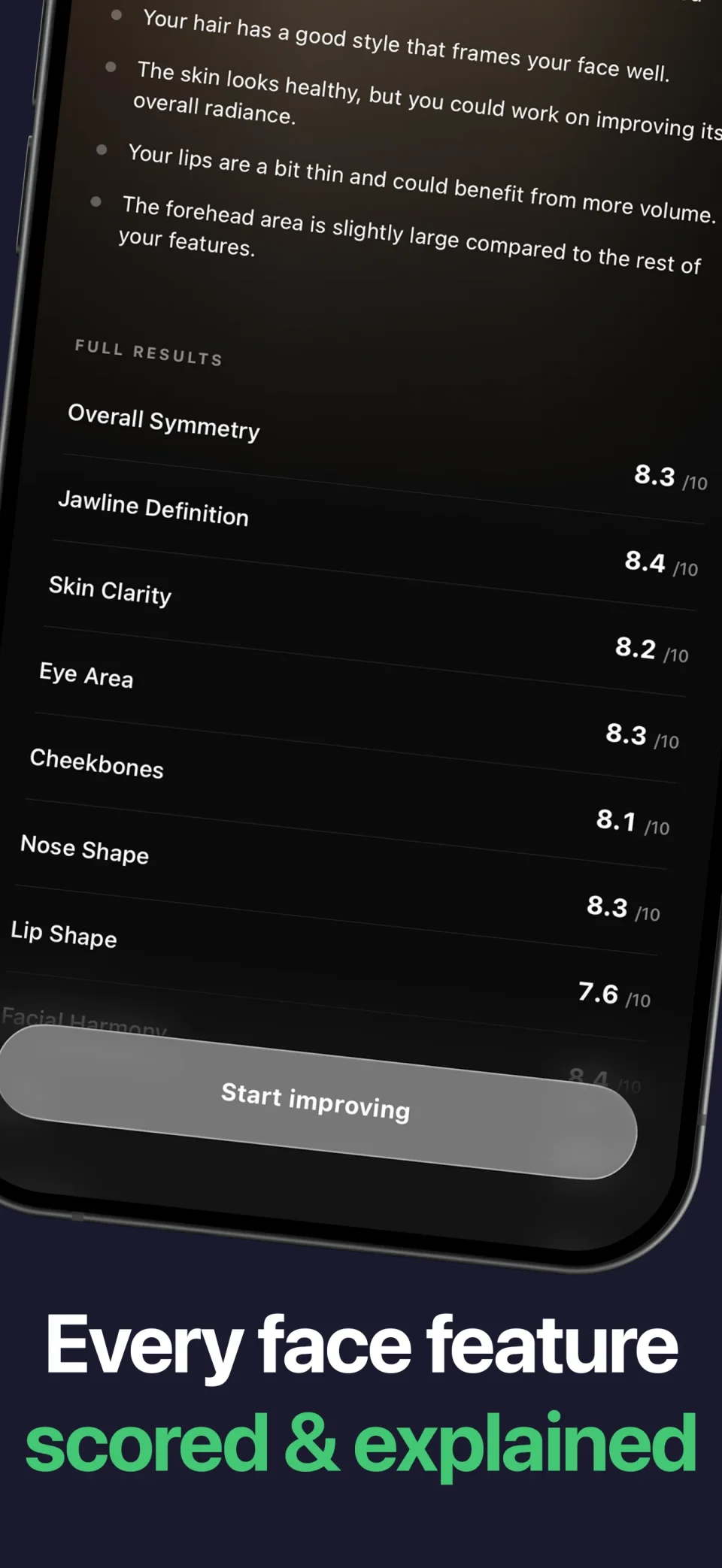
A Lookist scan reads one front photo. It gives an overall score and 15 feature scores, each with a written note. Light, distance and angle change how a face looks in a photo, so they can change a scan too.
If you track your face over time, use the same setup each time. Same window, same distance, eye level, no filter. Then a change in your scan history is more likely to come from your face, not the camera.
How to take a face analysis photo
Frequently asked questions
How can I look better in photos?
Face soft light from a window. Hold the camera farther away and slightly above eye level, and push your chin a little forward and down. Relax your face and take a burst. Most people improve right away with these changes alone.
Should I use the front or back camera for selfies?
The back camera is usually the better camera and lets you use the 2x lens from farther away. Use it with a timer or a phone stand. The front camera is fine for quick shots if you hold it at full arm's length.
Why do I look different in selfies than in the mirror?
A selfie taken close to your face makes your nose look wider. The saved photo may also be flipped compared to your mirror image. You are also used to your mirror image, so a true photo can look odd to you. See our guide on why your face looks different in selfies.
Am I ugly or just not photogenic?
Most people who think they look bad in photos see camera effects: close distance, harsh overhead light and a flipped image. Fix the setup before you judge your face. A photo from 5 feet away in soft light is a fairer view.
What is the most flattering selfie angle?
For most faces: the camera a little above eye level, the head turned a few degrees, and the chin slightly down. Test both sides, because one side often looks better.
How do I take a good selfie in low light?
Face the strongest light in the room, like a lamp or a window. Hold the phone with both hands or set it down and use the timer, because low light slows the shutter. Skip the front flash if you can.
How do I stop my iPhone selfies from flipping?
Go to Settings, then Camera, and turn on Mirror Front Camera. The iPhone will then save the selfie the way it looks in the camera preview.
How do guys take good selfies?
The same rules work: soft light from the front, and the camera slightly above eye level and farther away. Push the chin slightly forward and down to show the jaw. Keep the expression relaxed and try a slight squinch.
Sources and product details
- Ward and colleagues, 2018: Nasal Distortion in Short-Distance Photographs (JAMA Facial Plastic Surgery)
- Vaca and colleagues, 2021: The Influence of Sagittal Head Tilt on Periorbital Appearance (Aesthetic Surgery Journal Open Forum)
- Mita, Dermer and Knight, 1977: Reversed facial images and the mere-exposure hypothesis
- Etcoff and colleagues, 2021: A Novel Test of the Duchenne Marker (Frontiers in Psychology)
- Apple Support: Take a selfie with your iPhone camera
- Apple Support: Use Portrait mode on your iPhone
- Lookist on the App Store
For photo handling and account controls, read our privacy policy. For an issue with Lookist, visit support.
Put your report to use
Use the same photo setup for every Lookist scan so your scores compare fairly over time.
Download Lookist for iPhone